
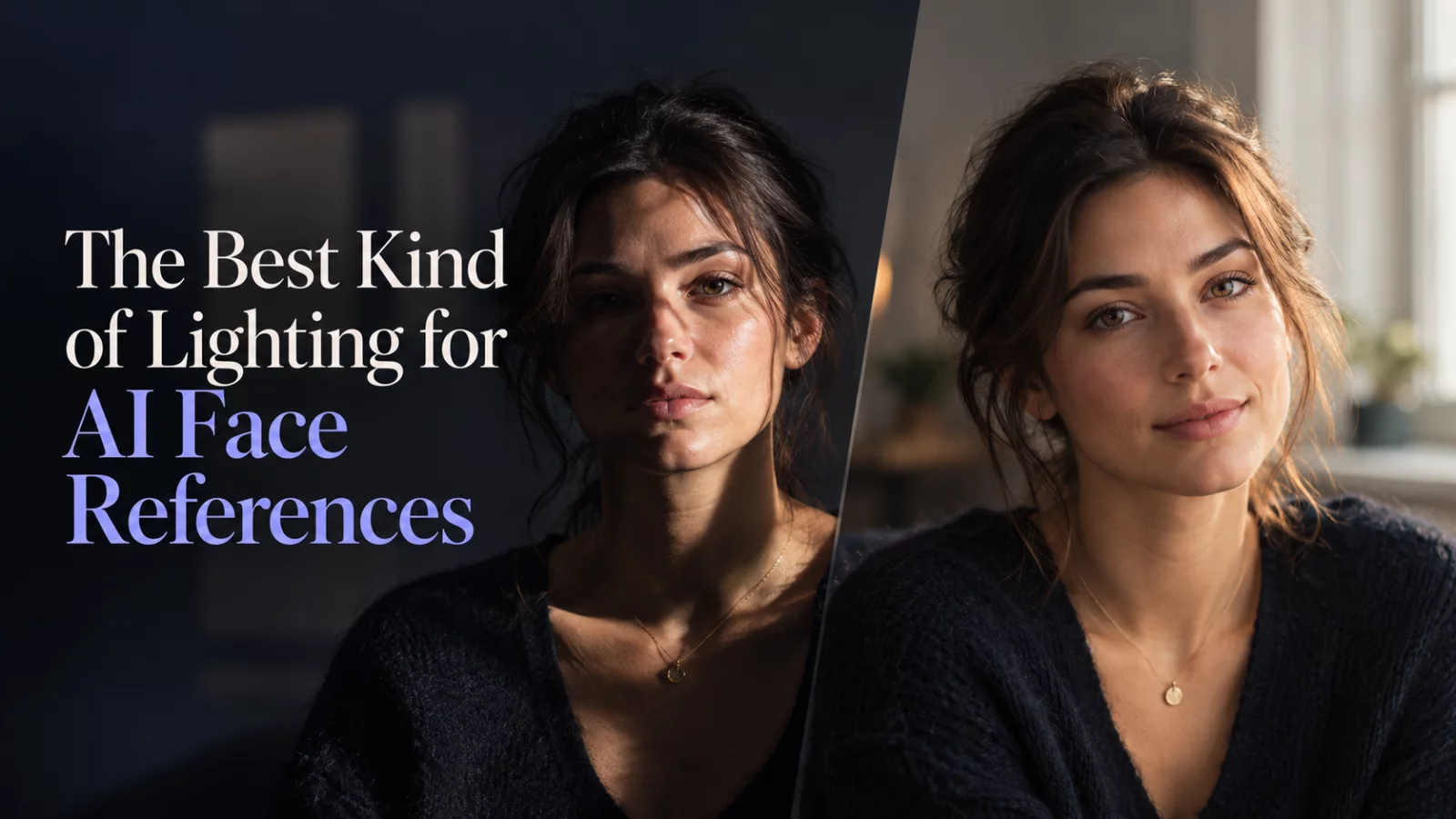
Studio-style side lighting can look wonderful in a photograph. It can also hide half the face, leaving an AI video model to guess at important details. If your goal is an accurate identity replacement, predictable lighting is often more useful than atmosphere.
Start with soft, directional light
A window on an overcast day or a diffused lamp can reveal the eyes, nose, mouth and jaw without carving deep shadows into the face. You do not need completely flat lighting. A little dimension helps the subject look real. The problem is when one eye disappears into darkness or the forehead is blown out.
Avoid mixed-color lighting
A face lit blue from a monitor on one side and orange from a lamp on the other can confuse skin color. The resulting video may carry those colors into a scene with entirely different illumination.
Whenever possible, capture the reference under one dominant light source. Let the generation handle the lighting of the final environment.
Reflections can hide more than you think
Glasses, wet skin and shiny makeup create bright highlights that obscure small features. A reflection across the pupils makes eye shape harder to understand. Turn the subject slightly or move the light rather than relying on AI to reconstruct hidden details.
Keep color correction subtle before upload
Heavy contrast and aggressive color grading can erase midtone detail in the cheeks and forehead. If you need to adjust a reference image, favor modest exposure and white-balance corrections. Save dramatic grading for the finished scene.
A quick home setup
Stand a few feet from a window, face the light at a slight angle, and keep the camera near eye level. Take more than one picture, then choose the one with the most natural expression and clearest jawline. This simple setup frequently gives the model better information than an elaborate background.
For more practical checks, see our guide to the best photos for AI video generation.


